Printer Equipment Icons: Creative Tools for Design Projects
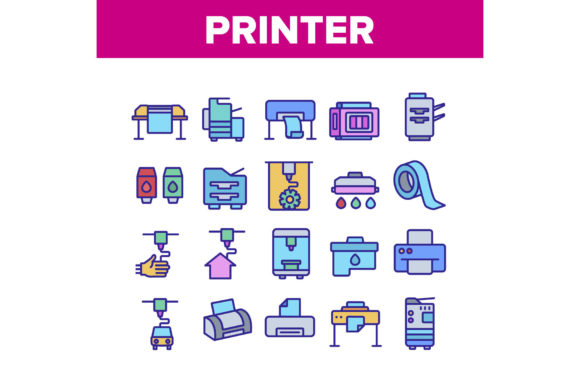
Visual communication thrives on clarity, and the Printer Equipment Collection Icons Set delivers just that. This versatile set includes 3D renderings of printers, ink cartridges, ink drops, and related devices, all crafted in a clean, linear style. Whether you're designing a website, a presentation, or marketing material, these icons offer a professional touch while maintaining visual consistency. Available in JPG and EPS formats, they scale beautifully across print and digital platforms.
Why This Icon Set Stands Out
The Printer Equipment Collection Icons Set isn't just about aesthetics—it's about utility. Each icon is designed with precision, making it easy to integrate into a wide range of design workflows. The color contour illustrations add depth without overwhelming the viewer, while the vector format ensures crisp visuals at any size. These icons bridge the gap between technical accuracy and creative expression, making them ideal for both personal and commercial use.
Designers and creators appreciate the flexibility of the set. Whether you're illustrating a technical manual or designing a product catalog, these icons adapt to your needs. The inclusion of 3D printer visuals and ink-related graphics makes it especially useful for tech-focused content, DIY projects, or educational materials.
1. Enhance Educational and How-To Content
If you're creating instructional guides or tutorials related to printing technology, these icons can serve as visual anchors. For example, an online course about 3D printing can use the printer and cartridge icons to label sections or illustrate key points. Pairing the Ink Drop icon with a section on ink maintenance or the Build House icon with a module on 3D-printed structures adds clarity and visual interest.
2. Branding and Marketing Materials
Small business owners and marketers can integrate these icons into branding assets like business cards, brochures, and social media posts. A print shop might use the Printer Equipment Collection Icons Set to visually represent services such as ink refills, printer maintenance, or 3D prototyping. Using the Ink Cartridge icon in a promotional graphic for a refill discount campaign can make the message more engaging and instantly recognizable.
3. Website UI and Infographics
Web designers can incorporate these icons into user interfaces to improve navigation. A tech blog covering printing innovations might use the 3D printer icon as a category tag or a featured image element. Infographics about the evolution of printing technology or the environmental impact of ink usage can benefit from these clean, scalable visuals to represent data points clearly.
Adapting the Icons for Different Audiences
One of the strengths of the Printer Equipment Collection Icons Set is its adaptability. Here's how different professionals can make the most of it:
- Designers: Use the vector files to customize colors and integrate icons into larger design systems. EPS format allows for easy editing in Adobe Illustrator or similar tools.
- Bloggers: Enhance posts about home printing, 3D modeling, or office equipment with high-quality visuals that support your content.
- Educators: Create engaging lesson plans or interactive learning modules with visual aids that simplify complex topics like printer mechanics or digital fabrication.
- Entrepreneurs: Showcase your product line or services with icons that reflect your offerings—whether it's a new 3D printer model or an eco-friendly ink cartridge.
Design Tips for Maximum Impact
To ensure your use of the Printer Equipment Collection Icons Set is both effective and professional, consider the following:
- Keep it consistent: Stick to a single style throughout your project. If you're using the color contour illustrations, maintain the same color palette and stroke width for all icons.
- Scale smartly: Vector formats like EPS are ideal for scaling without quality loss. Use them for print materials where high resolution is essential, and JPG for web use where file size matters.
- Avoid clutter: Don’t overload your layout with too many icons. Choose a few key visuals that enhance your message rather than distract from it.
- Add context: Always pair icons with clear labels or captions. Even the most intuitive icon can be misinterpreted without a bit of supporting text.
Inspiration for Real-World Applications
Here are a few project ideas to spark your creativity:
- Create a print maintenance checklist using the ink cartridge and printer icons to visually guide users through each step.
- Design a 3D printing showcase landing page with the Build House icon representing architectural applications and the 3D printer icon for general use.
- Develop a school resource pack for teaching digital design, using the Ink Drop and Printer icons to label sections on materials and tools.
- Build a product comparison infographic for printers, using icons to differentiate between features like ink capacity, print speed, and connectivity options.
Final Thoughts
The Printer Equipment Collection Icons Set is more than a design asset—it's a versatile tool that supports communication, creativity, and clarity. Whether you're a seasoned designer or a small business owner looking to elevate your marketing, this icon set offers a professional foundation. By applying thoughtful design principles and tailoring the visuals to your audience, you can create content that's both visually compelling and functionally effective.
Explore the possibilities, mix and match styles, and let these icons help you tell your story with precision and style.