3D Paint Brush Stroke Shapes for Creative Design Projects
3D Paint Brush Stroke Shapes offer a versatile way to add depth and dimension to your digital artwork. Whether you're a beginner or an experienced designer, these vector-based tools can elevate your creative projects. Their realistic brush stroke appearance mimics traditional painting techniques while providing the flexibility of digital editing.
Why Use 3D Paint Brush Stroke Shapes?
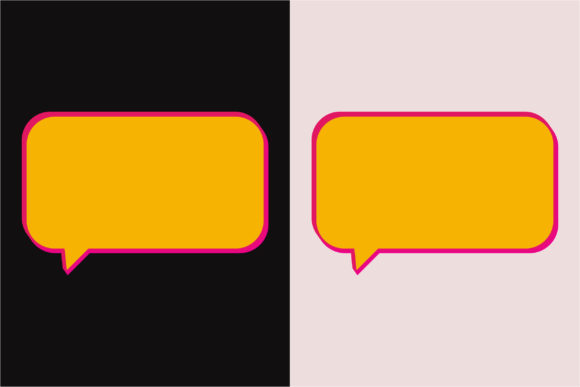
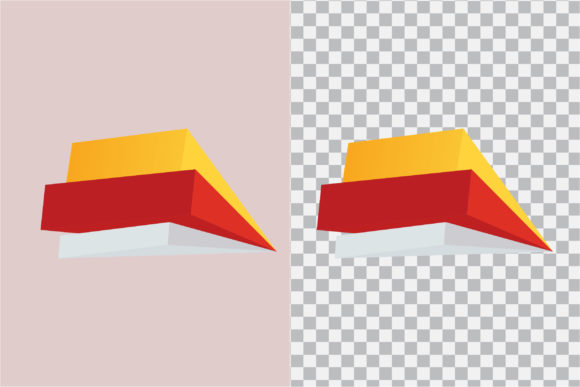
These brush stroke shapes are designed to be transparent, making them easy to layer over backgrounds or other design elements without unwanted borders or fills. They are ideal for artists, marketers, educators, and small business owners who want to create visually engaging content without spending hours mastering complex tools.
One of the biggest advantages is their compatibility with Adobe Illustrator and other vector editing software. With support for AI and EPS formats, you can scale these brush strokes to any size without losing quality. Whether you're designing a t-shirt, invitation card, or digital illustration, 3D Paint Brush Stroke Shapes give your work a hand-painted feel with professional results.
Key Features That Make a Difference
- Transparent Brush Vector Shape Paint: These brush strokes are designed with transparency, allowing seamless integration into layered designs.
- CMYK Color Mode: Ensures accurate color reproduction for print projects like business cards, invitations, and fabric printing.
- Editable and Resizable Vector Files: Maintain clarity at any size—perfect for both digital and print use.
- Editable Text and Color: Customize stroke colors and styles to match your brand or creative vision.
- Multiple File Formats: Includes AI, EPS, PNG, and JPEG files, making it easy to use across different platforms and applications.
- High-Quality Output: Suitable for clothes printing, canvas art, stickers, scrapbooking, and digital illustrations.
Creative and Practical Uses for 3D Paint Brush Stroke Shapes
From personal hobbies to professional branding, these brush stroke templates open up a wide range of creative possibilities. Here are a few real-world examples:
- Custom T-Shirt Designs: Use the mirrored image feature to create printable transfers for t-shirts. The PNG format works well for digital cutting machines or direct-to-garment printing.
- Wedding Invitations: Add a painterly touch to digital or printed invitations using CMYK-ready brush strokes for vibrant, professional prints.
- Canvas Art and Prints: Incorporate brush textures into digital paintings or mixed media art for a realistic, hand-painted look.
- Stickers and Scrapbooking: Use the high-resolution EPS and PNG files to design stickers, greeting cards, or scrapbook layouts with a painterly effect.
- Marketing Materials: Small business owners and bloggers can use these shapes to enhance social media graphics, banners, and promotional materials.
What to Consider Before Using 3D Paint Brush Stroke Shapes
If you're new to using vector files or digital design tools, here are a few things to keep in mind before diving in:
- Software Compatibility: Make sure you have access to software that supports AI and EPS files, such as Adobe Illustrator, Inkscape, or compatible design platforms.
- Learning Curve: While these templates are beginner-friendly, understanding how to edit vector files and layers can improve your results. Many online tutorials are available to help you get started.
- Print Requirements: For fabric printing or sticker production, check the resolution and file type requirements of your printing service to ensure compatibility.
- Color Accuracy: Since these templates are in CMYK, they are optimized for print. If you're designing for digital screens, you may want to convert colors to RGB for better screen display.
How to Get Started with Your 3D Paint Brush Stroke Templates
Getting started is simple. Once you've downloaded your digital file pack, you'll find three formats: PNG (ideal for clip art and digital use), AI (for advanced editing), and JPEG (great for quick printing or sharing).
For beginners, try dragging and dropping the PNG files into graphic design tools like Canva, Photoshop, or even PowerPoint. If you're comfortable with Illustrator, open the AI or EPS files to resize, recolor, or combine brush strokes with your own illustrations.
Want to create mirrored images for t-shirt transfers? Use the JPEG or PNG files in your printing software and apply a horizontal flip to ensure the design appears correctly when transferred onto fabric.
Maximize Your Creative Potential
Whether you're a digital artist, educator, or entrepreneur, 3D Paint Brush Stroke Shapes are a valuable addition to your design toolkit. Their flexibility, high-quality output, and ease of use make them ideal for a wide variety of creative applications.
With editable text, color options, and multiple file formats, you can customize your designs to suit your style and project needs. From scrapbooking to digital marketing, these brush stroke templates offer a professional, artistic touch without the complexity of manual painting.
Explore different ways to use these brush strokes in your next project and discover how they can help you achieve polished, creative results with minimal effort.